What Is Aura? How the Identity Theft Protection Service Works

Aura is an all-in-one identity theft protection service that monitors your personal, financial, and credit information for signs of fraud, then helps you respond when something looks wrong. The service bundles identity monitoring, three-bureau credit monitoring, dark web scanning, data broker removal, a VPN, antivirus, a password manager, and identity theft insurance into a single subscription. This guide explains how Aura identity theft protection works and what it costs to help you identify whether it’s a good fit.
What is Aura?
Aura is a digital safety platform that combines identity, financial, and device protection under one subscription. Rather than selling each function separately, it packages the tools most people would otherwise buy from several vendors—credit monitoring, a VPN, antivirus, a password manager—alongside its core identity monitoring.
The service is aimed at individuals and families who want one dashboard for their digital security instead of managing multiple accounts. Every Aura plan includes identity, credit, and online privacy features, with family plans adding parental controls. That bundling is the main thing that distinguishes Aura from single-purpose tools.

How Aura works
Aura identity theft protection works by continuously monitoring the places your personal information tends to surface, then alerting you when it detects a risk. After you enroll and provide details like your name, address, email, and Social Security number, the service begins watching your credit files, financial accounts, and the dark web for signs your data has been exposed or misused.
When Aura finds something—a new credit inquiry, your information on a dark web marketplace, an attempt to verify your identity at a creditor—it sends a real-time alert. If fraud does occur, Aura provides U.S.-based fraud remediation support and identity theft insurance to help cover eligible losses. This approach leans toward prevention and early detection rather than only remediating the issue after the fact.
What Aura includes
Aura identity theft protection covers several distinct protections under one subscription. Understanding what each one does helps clarify whether the bundle matches what you actually need:
Identity and financial monitoring
Aura monitors your Social Security number, driver's license, passport, email, and financial accounts, and notifies you if any of them appear in a breach or are used without your knowledge. It also includes three-bureau credit monitoring, so changes across Experian, Equifax, and TransUnion trigger alerts. This is the core of the service—catching misuse of your identity early, before it snowballs into widespread fraud.
Aura dark web monitoring
Aura dark web monitoring scans marketplaces and forums where stolen data is traded and alerts you if your information shows up. Data exposed in breaches frequently ends up on these sites, where it can be bought and reused. Monitoring doesn't remove the data, but it tells you which of your details are circulating so you can respond by changing passwords, freezing credit, or watching affected accounts.
For a broader look at how this fits into overall account security, see our guide on how to protect yourself from hackers.

Aura data broker removal
Aura data broker removal requests the deletion of your personal information from data broker and people-search sites. According to Aura's official site, the service removes your data from more than 200 data broker and people-search sites, as well as Google search results. Data brokers compile profiles from public records and online activity and sell them, so removing your listings reduces how easily strangers and fraudsters can find your address, phone number, and other details.
VPN, antivirus, and password manager
In addition to various identity protection tools, Aura includes device and connection security. The VPN encrypts your internet traffic, which is especially useful on public Wi-Fi, where unsuspecting users are otherwise left vulnerable to threats. The antivirus blocks malware, and the password manager generates and stores unique passwords behind a single master password. These are the tools many competitors charge extra for, and their inclusion is part of why Aura positions itself as an all-in-one platform rather than a standalone identity monitor.
Identity theft insurance
Every Aura plan includes identity theft insurance, with coverage of $1 million per adult—so the individual plan carries $1 million, and the family plan scales up to $5 million across five adults. The policy is designed to help cover eligible costs tied to recovering from identity theft, such as certain financial losses and legal fees. Insurance terms and coverage limits vary, so the specifics are worth confirming directly with Aura before relying on them.
How much Aura costs
Aura identity theft protection starts around $12 per month for an individual plan billed annually, with couple and family plans costing more per month while covering more people. Aura's own site notes annual subscriptions generally run from roughly $150 to $350 per year depending on the plan, and are available at a better rate than the monthly equivalent. Because pricing changes with promotions and billing cycle, check Aura's pricing page for the current figure before subscribing.
Aura plan structure
Aura sells three consumer plans, which differ by how many adults and devices they cover and how much identity theft insurance they include. Pricing below reflects annual billing:
Monthly billing costs more than the annual rate ($15, $29, and $50 per month respectively). All plans include a 14-day free trial, and annual plans carry a 60-day money-back guarantee.
Who Aura is for
Aura fits people who want comprehensive digital protection from a single subscription and would otherwise pay for a VPN, antivirus, password manager, and identity monitoring separately. Families benefit from the parental controls and multi-member coverage, and anyone already worried they're at elevated risk of fraud gets monitoring across a wide range of data sources.
It's less suited to someone who only wants one narrow function. For example, if your primary goal is removing your data from broker sites, a dedicated data removal service covers that for less. The bundle is the value, so Aura makes the most sense when you'd actually use several of its features.
Frequently asked questions
Is Aura worth it?
Aura identity theft protection is worth it if you would otherwise pay separately for identity monitoring, credit monitoring, a VPN, antivirus, and a password manager, since bundling them under one subscription starting around $12 per month is often cheaper than buying each tool individually. It's less worthwhile if you only need a single feature, like data broker removal, which dedicated services provide at a lower price.
Does Aura remove your data from the internet?
Aura removes your personal information from more than 200 data broker and people-search sites, along with Google search results, and re-sends requests over time. It does not remove everything on the internet, such as content you posted, news articles, and sites outside its coverage list stay up. Data broker removal reduces your exposure on the sites that compile and sell personal profiles, not your entire online footprint.
What's the difference between Aura and a VPN?
A VPN only encrypts your internet connection to keep your browsing private and secure, especially on public networks. Aura includes a VPN as one feature among many, but it primarily monitors your identity, credit, and personal data for signs of fraud. A VPN is a single privacy tool; Aura is a broader identity protection service that happens to bundle one in.
Gaps in Aura's protection
Aura identity theft protection is thorough on the monitoring side, but it doesn't cover everything. Its tools watch your credit, accounts, and the dark web and alert you when your data is exposed. However, none of them change how much payment information you hand over during online checkouts.
If you want to lock down your online payments, you'll need a separate tool—either a virtual card through your bank, if it offers one, or a dedicated provider like Privacy. Some banks issue virtual card numbers, though availability, controls, and merchant support vary, so it's worth checking what your bank offers before relying on it.
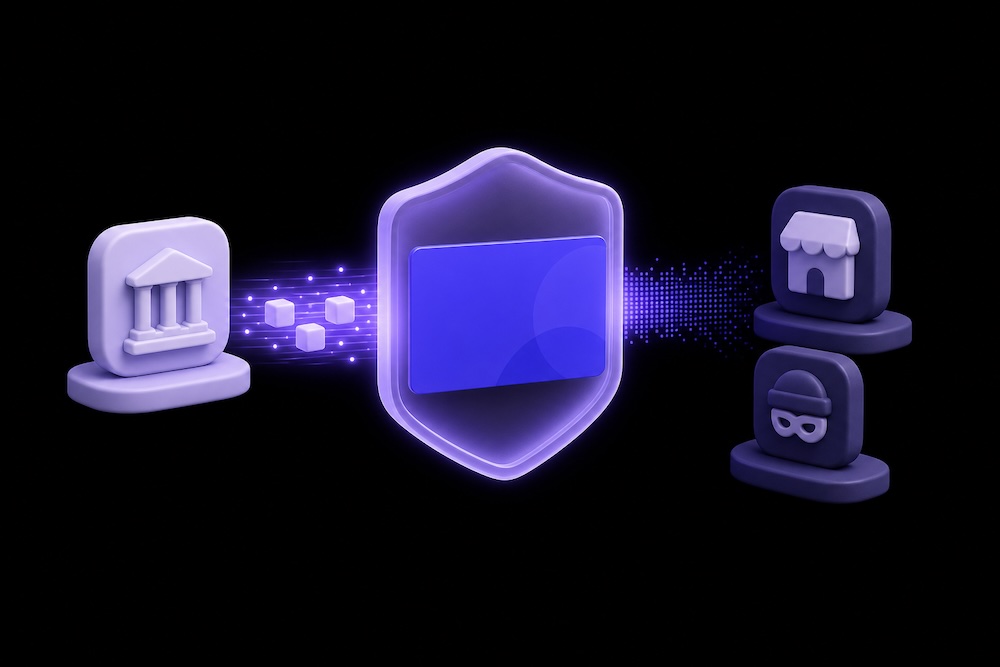
How virtual cards close the gap
Virtual cards come with unique card numbers that act as a stand-in for your real payment card numbers. These numbers keep your real payment information hidden from anyone who might intercept the transaction or breach the merchant storing it. Providers like Privacy let you create virtual cards customized to your spending preferences, without opening a new bank account.
When you create a Privacy account, you link it to a funding source—either a bank account or a debit card—and then generate virtual cards you can use with most merchants that accept Mastercard. Privacy uses several protections to secure your information:
- Two-factor authentication (2FA)—Requiring an additional verification step, 2FA helps block unauthorized access to your Privacy account, even if your password is exposed.
- End-to-end encryption—Privacy secures your data in transit and at rest, and never stores your bank login credentials.
- Fraud protection—For unauthorized transactions, Privacy helps you dispute the charge and potentially recover your funds.
Privacy card types
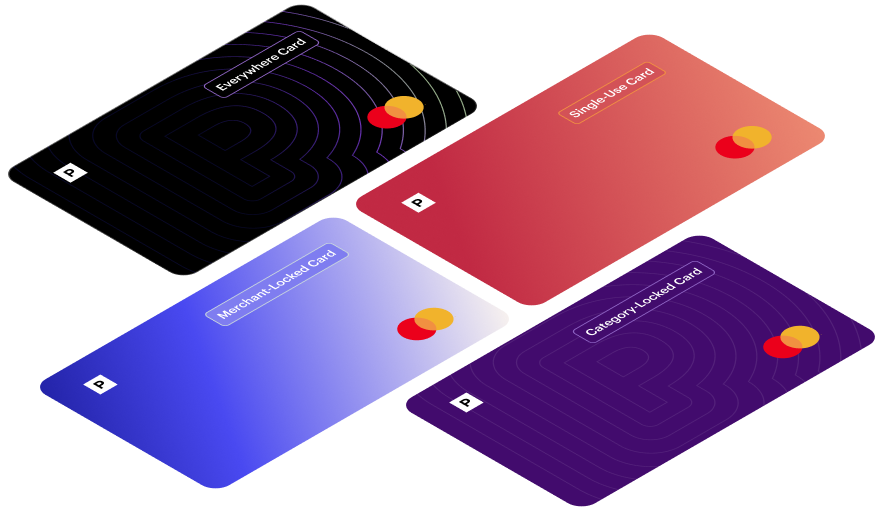
Privacy offers four types of virtual cards, each suited to a different kind of spending:
On every card, you can set a spending limit and automatically decline any transaction that exceeds it. You can also pause or close a card at any time, which stops additional charges from going through—including charges from subscriptions you've canceled.
How to get started with Privacy
To sign up for Privacy, you must be a U.S. citizen 18 or older with a valid checking account at a U.S. bank or credit union. From there, creating your first card takes four steps:
- Create a Privacy account.
- Provide the required KYC (Know Your Customer) information.
- Link your account to a funding source.
- Generate your virtual card.
Privacy offers four plans at different spending levels:
Aura identity theft protection tells you after your data has been exposed. Masking your payment details is designed to help reduce that exposure in the first place. The two work on different parts of the same problem—for a fuller picture of managing your data footprint, our guide to personal information management tools covers where each type of service fits.