How to Safely Give OpenClaw (or Any AI Agent) Spending Power With Virtual Cards

How to Safely Give OpenClaw (or Any AI Agent) Spending Power With Virtual Cards
If you've spent any time on X, Reddit, or YouTube this week, you've seen OpenClaw everywhere. The open-source AI agent–formerly known as Clawdbot, then Moltbot–has exploded in popularity, racking up over 160,000 GitHub stars and inspiring countless demos of extreme automation.
OpenClaw is capable of completing a large number of tasks on your behalf. Not only can it send email, manage your calendar, and browse the web, AI bot developers have also given it the ability to control your home, make phone calls, or even hire someone to perform physical tasks.
Which raises an obvious question: how do you give an AI agent access to your money without handing over your actual credit card?
The safest approach is a virtual card with a preset spending limit. The agent can make purchases on your behalf, but it can't access your full bank account—and if something goes wrong, you can pause or close the card instantly. If you're experimenting with agentic payments, virtual cards are essential to de-risking your research.

Why Shouldn't You Give AI Agents Your Real Credit Card?
AI agents like OpenClaw are powerful precisely because they have broad access to your systems. It can read files, execute commands, control your browser, and interact with external services. That's the whole point. But that power comes with real risks.
Security researchers have already found critical vulnerabilities in OpenClaw. The project issued three high-impact security advisories in just three days. The tool's creator, Peter Steinberger, has acknowledged that it's "not meant for non-technical users" and requires "careful configuration to be secure."
Beyond security exploits, there's a simpler problem: AI agents make mistakes. They hallucinate. They misinterpret instructions. One user reported that their OpenClaw "accidentally started a fight with Lemonade Insurance because of a wrong interpretation of my response."
Now imagine that same misinterpretation happening with your Chase card on file.
Even if everything works perfectly, do you really want an autonomous agent with unlimited access to your checking account? The "blast radius" of a mistake–or a breach–is your entire checking account.
How Much Do AI Agents Cost to Run?
Here's something many new OpenClaw users learn the hard way: the software is free, but the AI models that power it are not.
Every time OpenClaw processes a request, it consumes tokens from whatever model you've connected–Claude, GPT-4, or others. And those costs add up fast. One user burned through $223 in three days. Another hit a $3,600 monthly bill. Someone else reported spending $200 in a single day when an automated task got stuck in a loop.
The problem is that OpenClaw sends full conversation history with each API call, and if you're running scheduled tasks or have misconfigured your Heartbeat settings, you can rack up charges while you sleep.
What Are Virtual Cards and How Do They Work With AI Agents?
Virtual cards create a buffer between the merchant and your bank account. In this case, they act as a secure layer between your AI agent and your actual money. Instead of handing the agent your real card number, you can generate a virtual card with its own unique number, expiration date, and CVV. Then, you can set a spending limit within your desired parameters. If anything goes wrong, you can pause or close the card instantly without affecting your underlying bank account.
This protection works from both angles:
- For AI purchases: Create a virtual card with a limit, give it to OpenClaw, and let it do your work. The agent can't drain your account, rack up unrecognized charges, or access funds beyond what you've explicitly allocated.
- For API costs: Use a virtual card to pay for your Anthropic, OpenAI, or other model provider accounts and set a spend limit that matches your budget. If your agent gets stuck in a loop or you misconfigure something, the card will decline once you’ve hit your cap.
Virtual cards work by giving your AI a budget, not a blank check.

How to Set Up Privacy Virtual Cards For AI Agents
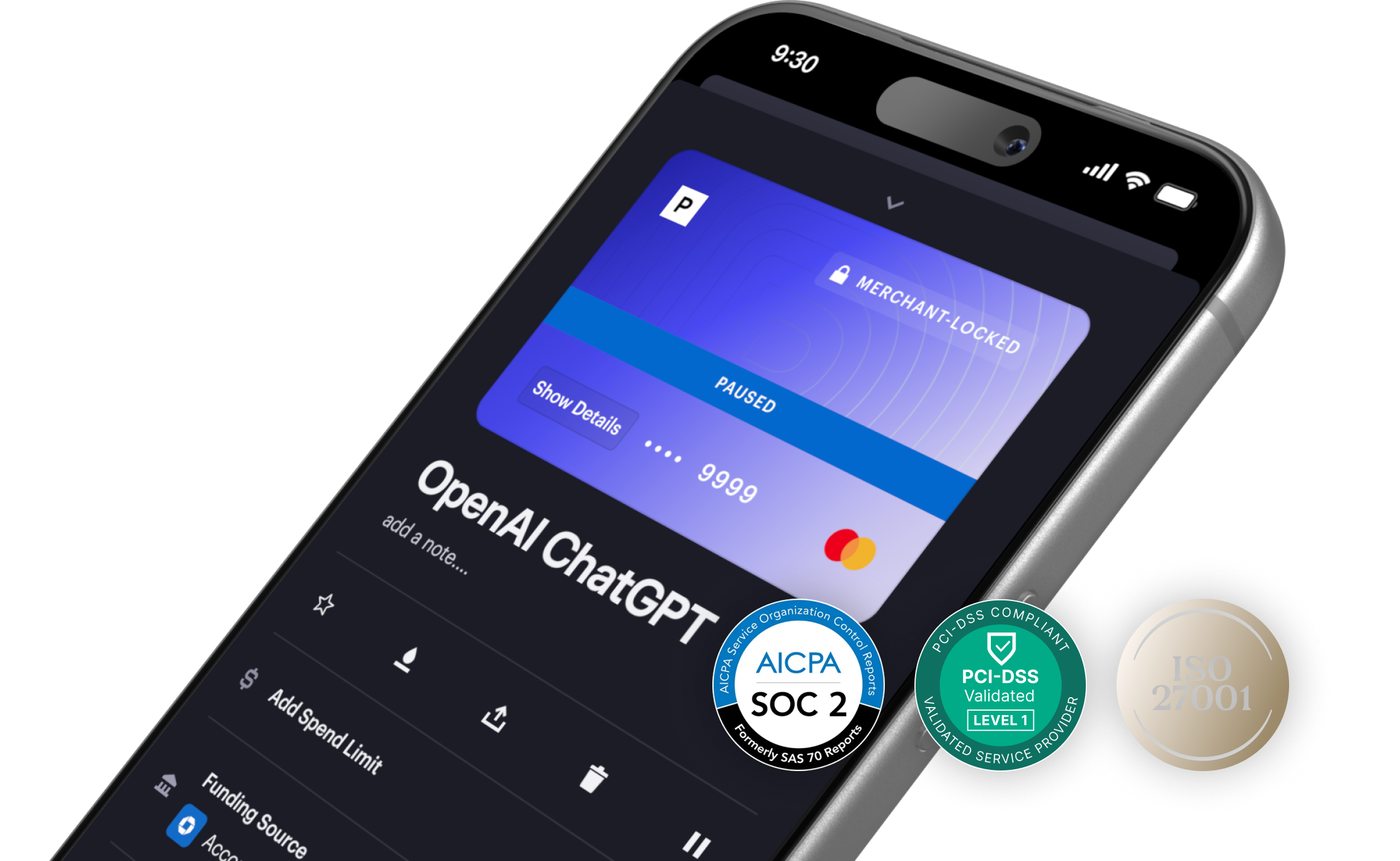
Privacy Cards are virtual cards designed to protect your payments with spend limits, merchant locks, and advanced control features. Here's how to set up spending controls for your OpenClaw AI assistant using Privacy Cards.
- Create a Privacy account. Sign up at privacy.com and link your bank account or debit card as a funding source. Verify your identity by providing the required Know-Your-Customer (KYC) information.
- Generate a virtual card. From your dashboard, create a new card. You'll get a unique 16-digit card number, expiration date, and CVV that you can use at most merchants.
- Set a spending limit. Choose a limit that matches your comfort level. For ongoing API costs, set it to your monthly budget. Privacy will automatically decline any transaction that would exceed your limit.
- Give the card details to your AI agent. Add the virtual card number to OpenClaw's configuration, your Anthropic dashboard, or wherever your agent takes payment credentials.
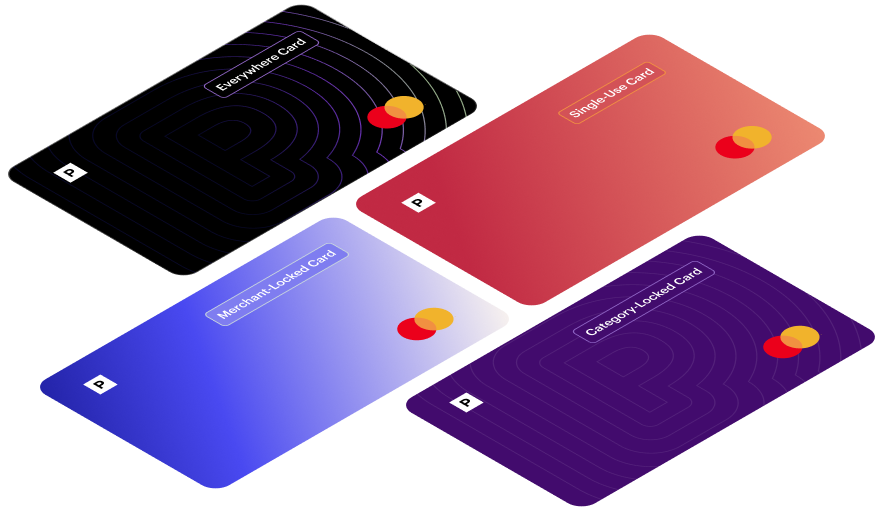
Choosing the Right Privacy Card Type for Your OpenClaw Usage
How Do You Monitor and Control AI Agent Spending?
The whole idea behind an AI agent is controlled autonomy. You want it to act on your behalf, but not disappear into a black box. Privacy Cards make that possible by giving your agent the ability to spend while still giving you full visibility.
Even with limits in place, you might encounter unexpected behavior. Here's how to respond:
- Pause the card instantly. From the Privacy App or Browser Extension, you can pause any card with one tap. All future transactions will be declined until you unpause it. This feature is useful if you notice unusual activity and want to investigate before taking permanent action.
- Close the card entirely. If you're done with a particular experiment or want to cut off access completely, close the card. The card can never be used again, but your funding source remains unaffected. You can create a new card whenever you're ready to try again.
- Review transaction history. Every purchase and decline appears in your Privacy dashboard with merchant details and timestamps. If your agent took actions you didn't expect, you'll see exactly what happened and when.
- Set up alerts proactively. Enable push notifications so you're informed the moment any authorization or decline occurs. For agentic workflows that run autonomously or overnight, this means you're never in the dark.
The benefit of using Privacy virtual cards is gaining a level of insight that allows you to make quick adjustments–pause the card to investigate, increase the spend limit to let a payment through, or close the card permanently to cut off all access.
How Privacy Virtual Cards Keep AI Agents in Check
AI agents that can spend money on your behalf aren't a future concept. People are doing it today with tools like OpenClaw, and the use cases will only expand as agentic tools mature.
But "the AI that actually does things" shouldn't have unlimited access to your finances. Whether you're letting an agent make purchases or just trying to keep API costs from spiraling, Privacy virtual cards with spending limits are the simplest way to stay in control.
Frequently Asked Questions
- Can AI agents like OpenClaw make purchases? Yes. AI agents with browser control can complete checkout flows, book travel, purchase domains, and buy products on your behalf.
- Is it safe to give an AI agent my credit card? Giving an AI agent your primary credit or debit card is risky. Virtual cards with spending limits offer a safer alternative by restricting how much the agent can spend.
- What happens if my AI agent spends more than expected? With Privacy Cards, transactions that exceed your preset limit are automatically declined. You can also pause or close any card instantly from the app.
- Do virtual cards work with OpenClaw? Yes. Any virtual card with a standard 16-digit number, expiration date, and CVV can be used wherever the AI agent accepts payment credentials.